

Overview
Design Audit analyzes your work against proven UX heuristics and accessibility standards, then hands you a prioritized list of UX issues with actionable recommendations. It runs on two surfaces:- Figma — audit a frame inside the Floto plugin
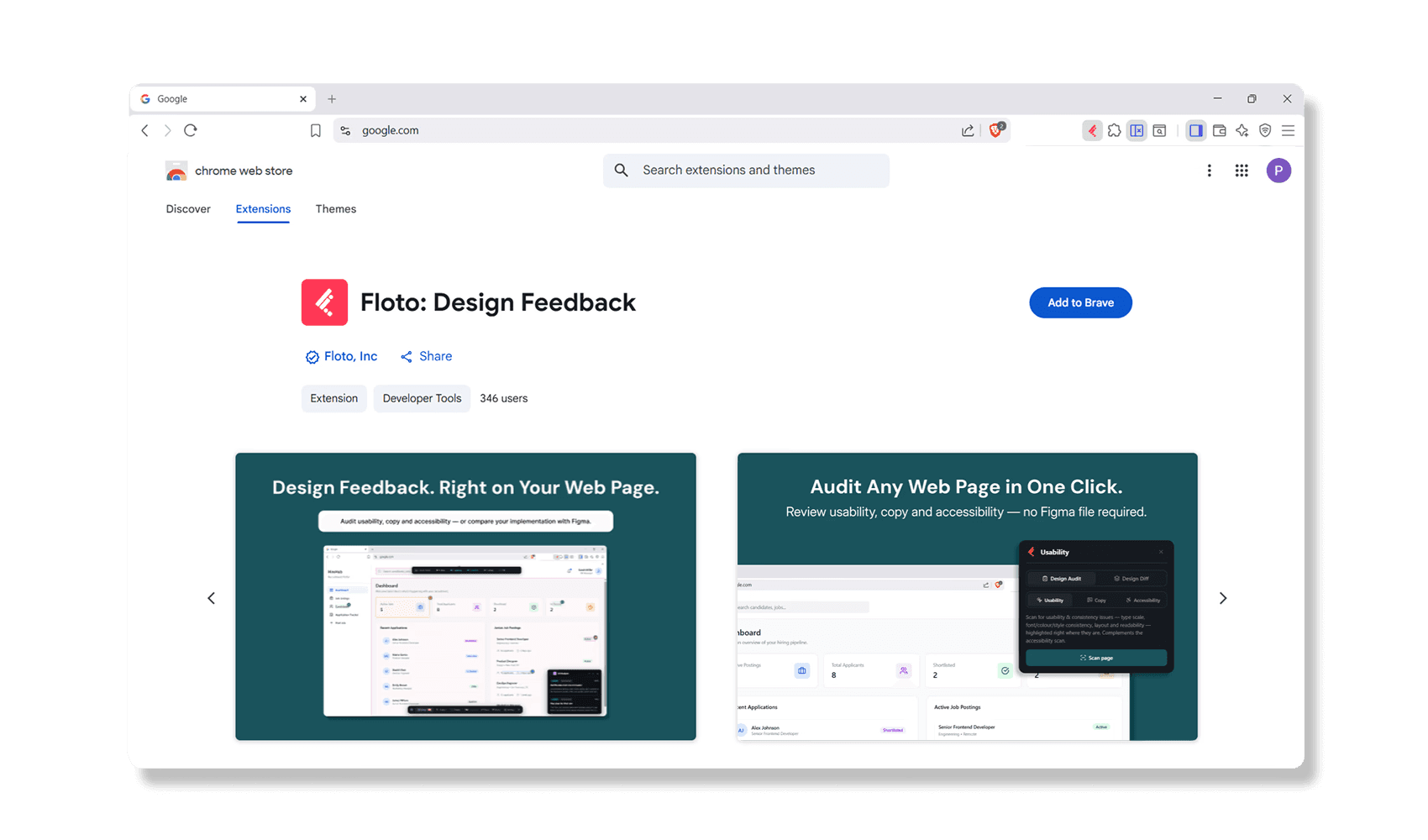
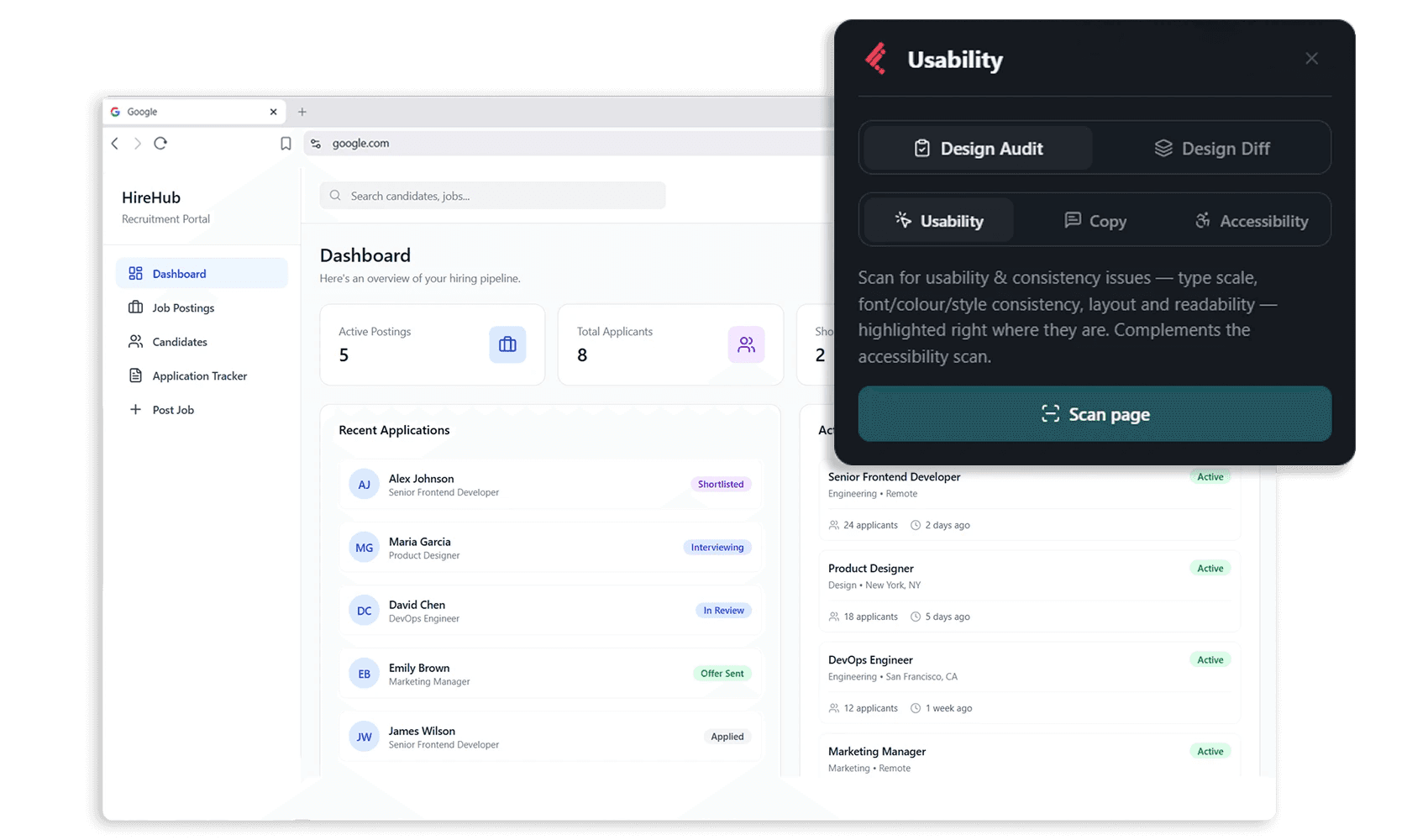
- Web — audit any live page with the Floto Chrome extension, no Figma file required
- Figma
- Web
Audit a Figma frame from the Floto plugin.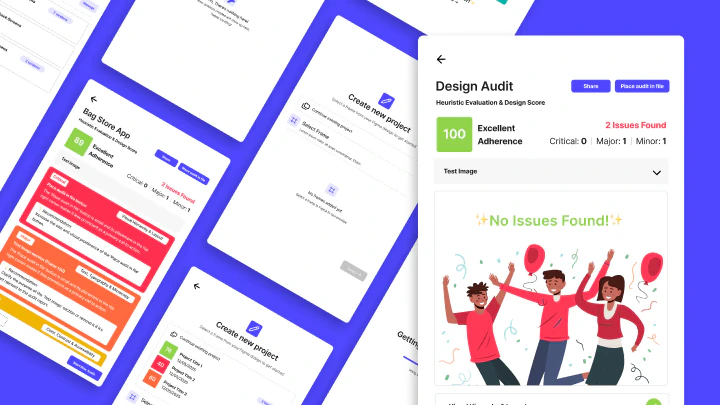
Cost: 20 credits per audit
Supported frames: Any single Figma frame (recommended: screens, wireframes, mockups)
Cost: 20 credits per audit
Supported frames: Any single Figma frame (recommended: screens, wireframes, mockups)
How It Works in Figma: 5 Steps
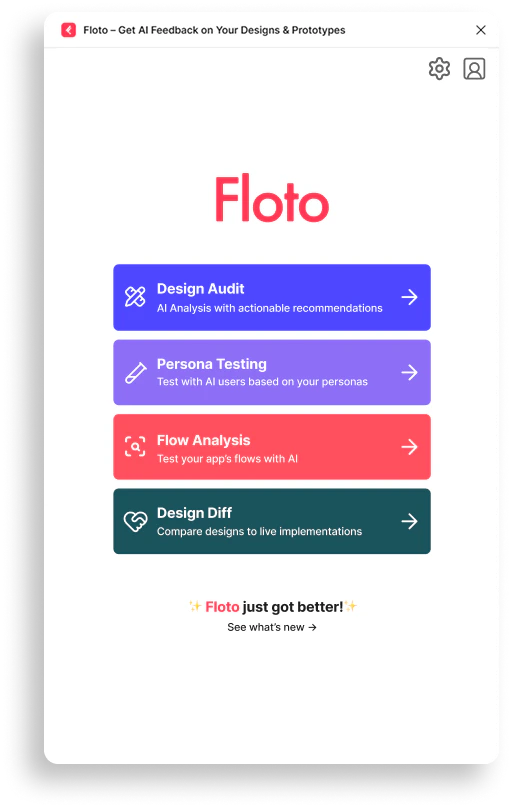
Step 1: Open Design Audit
Click Design Audit in the Floto plugin.- 5 Usability Heuristics - Core UX principles (see below)
- WCAG 2.2 & EN 301 549 - Accessibility standards
- Your design system - Token compliance, if you’ve uploaded one
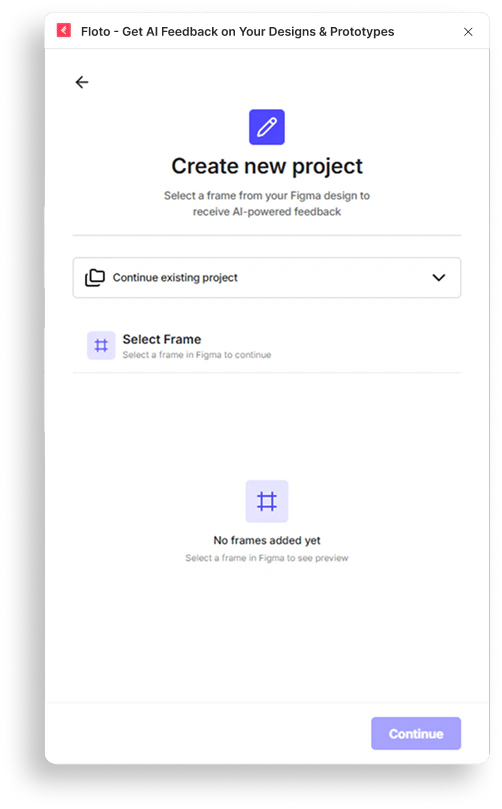
Step 2: Select a Frame & Audit Type
- Select the frame you want feedback on
- Choose the audit type depending on the feedback you need
- Usability Audit - Evaluates your design across five dimensions: visual hierarchy and layout, typography and microcopy, color contrast and accessibility, aesthetic tone, and CTA clarity
- Copy & Microcopy - Reviews all visible text for clarity, tone, and effectiveness
- Accessibility (WCAG 2.2) - Checks WCAG 2.2 AA compliance — contrast, touch targets, focus appearance, dragging alternatives, redundant entry, accessible authentication
- Accessibility (EN 301 549) - Checks EN 301 549 v3.2.1, the EU standard for public sector digital services
- Design System Check - Verifies colors, spacing, typography, and radii use your design system tokens instead of hardcoded values (requires an uploaded design system)
Step 3: Run Your Audit
- UX Issues - Usability problems and potential confusion points
- Accessibility Problems - WCAG violations and accessibility gaps
- Usability Gaps - Deviations from established best practices
- Processing design elements
- Analyzing UI patterns
- Evaluating usability
- Generating recommendations
- Finalizing analysis
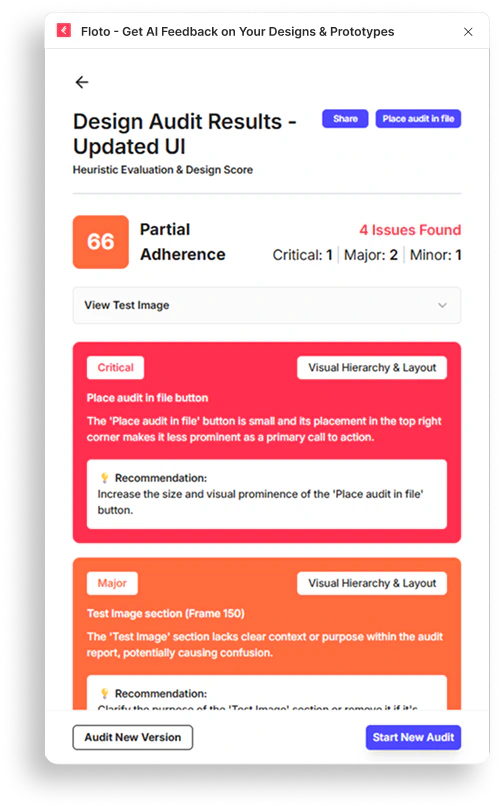
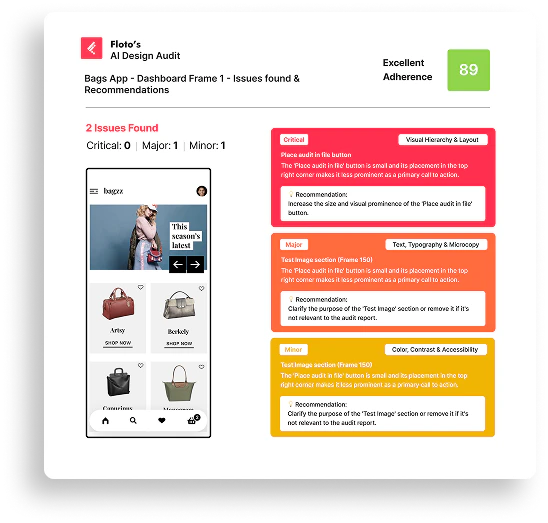
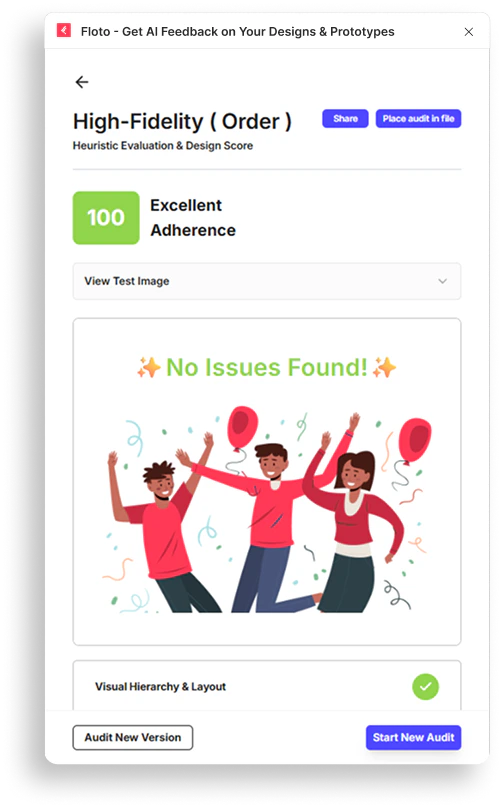
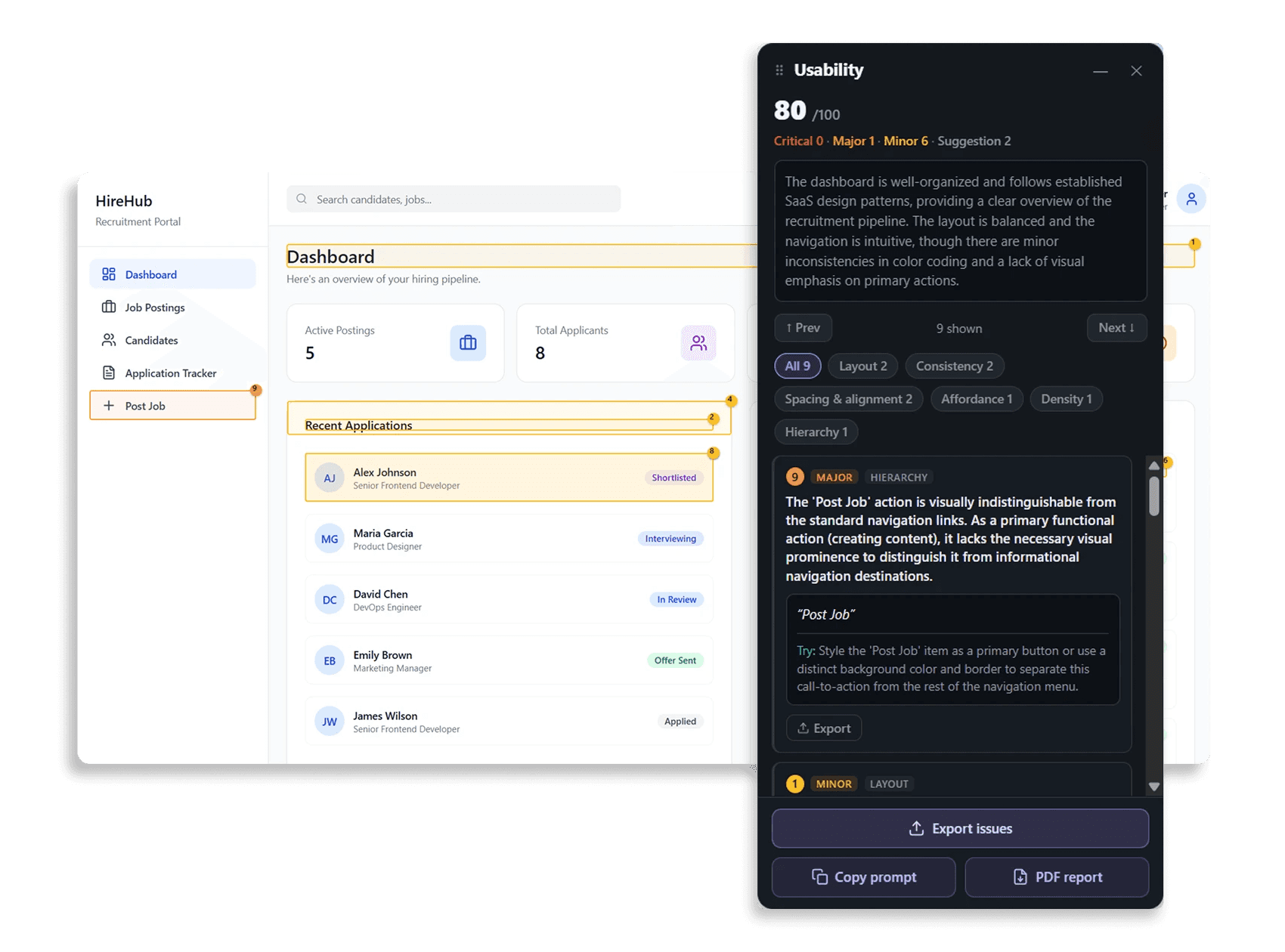
- Overall Score (0-100) - Your frame’s compliance score
- Severity Breakdown - Issues categorized by impact
Step 4: Place Audit in Your File
- No switching tabs or losing context
- Reference issues while making design changes
- Track progress as you fix problems
Step 5: Fix and Retest
- Identify which issues were resolved
- Focus on remaining high-severity problems
- Ship when you’re confident in your design
Understanding Your Audit Results
Overall Score
Your frame starts at 100 and loses points per issue found — 15 for each Critical, 8 for each Major, 3 for each Minor. Suggestions don’t affect the score.Valid frames never score below 20, no matter how many issues are found. An empty or invalid frame scores 0.
Issue Severity Levels
Each issue is categorized by impact:- Critical - Severe usability problems that block users
- Major - Significant issues affecting user experience
- Minor - Small improvements that enhance usability
- Suggestion - Optional enhancements and best practices
Issue Details
For each issue, you receive:The 5 Usability Heuristics
The Usability Audit evaluates your frame across these five dimensions:- Visual Hierarchy & Layout - Visual flow from primary to secondary elements, grouping via alignment, spacing and proximity, grid consistency, balance, white space, cognitive load
- Text, Typography & Microcopy - Text hierarchy, font sizing, weight and spacing; labels, headings, body text and microcopy for clarity, tone, and action-oriented phrasing
- Color, Contrast & Accessibility - Sufficient contrast for text and interactive elements, and color never the only indicator of meaning
- Aesthetic & Emotional Tone - Cohesion, brand voice, consistent iconography and style, composition, balance, polish
- Functionality & CTA Clarity - Primary calls-to-action visually distinct and prioritized, interactive elements recognizable and appropriately sized, next steps unambiguous
Frame Requirements
Supported Frames
- Single Figma frames
- Screens, wireframes, mockups
- Component designs
- Prototypes and flows
Frame Size
- No minimum size
- Maximum size: 20MB
- Recommended: 320px - 1920px width for best results
Frame Contents
- Text content - Readable text and labels
- UI elements - Buttons, forms, navigation
- Visual design - Colors, spacing, typography
Audit Limitations
- Floto audits one frame per request
- Audits are based on visual design only - Doesn’t test live functionality
- Results reflect current design state - Changes require new audit
- Audit can take up to 2 minutes to process complex designs
Figma Audit FAQ
How long does an audit take?
How long does an audit take?
Audits typically complete in 30 seconds to 2 minutes, depending on frame complexity. You’ll see progress updates during analysis.
Can I audit multiple frames at once?
Can I audit multiple frames at once?
No, Floto audits one frame at a time. Run separate audits for different screens or components.
What if my score is low?
What if my score is low?
Start with Critical severity issues - these have the biggest impact on user experience. Fix those first, then move to Major and Minor issues.
Can I retest after making changes?
Can I retest after making changes?
Yes! Make design updates in Figma, then run a new audit on the updated frame. Compare scores to see improvement.
Are there accessibility checks?
Are there accessibility checks?
Yes, audits include WCAG accessibility standards. Issues include accessibility problems like contrast, readability, and keyboard navigation.
How many credits does an audit cost?
How many credits does an audit cost?
Each audit costs 20 credits. Credits reset monthly on your plan.
What's the difference between audit types?
What's the difference between audit types?
Usability Audit covers the five design heuristics — hierarchy, typography, contrast, tone, and CTA clarity. Copy & Microcopy judges the words. Accessibility audits check WCAG 2.2 AA or EN 301 549 compliance. Design System Check verifies token usage. Run whichever matches the feedback you need.
Next Steps
- Run your first Design Audit on a key screen — or scan a live page with the extension
- Review Critical and Major issues
- Make improvements based on recommendations
- Retest to see your score improve
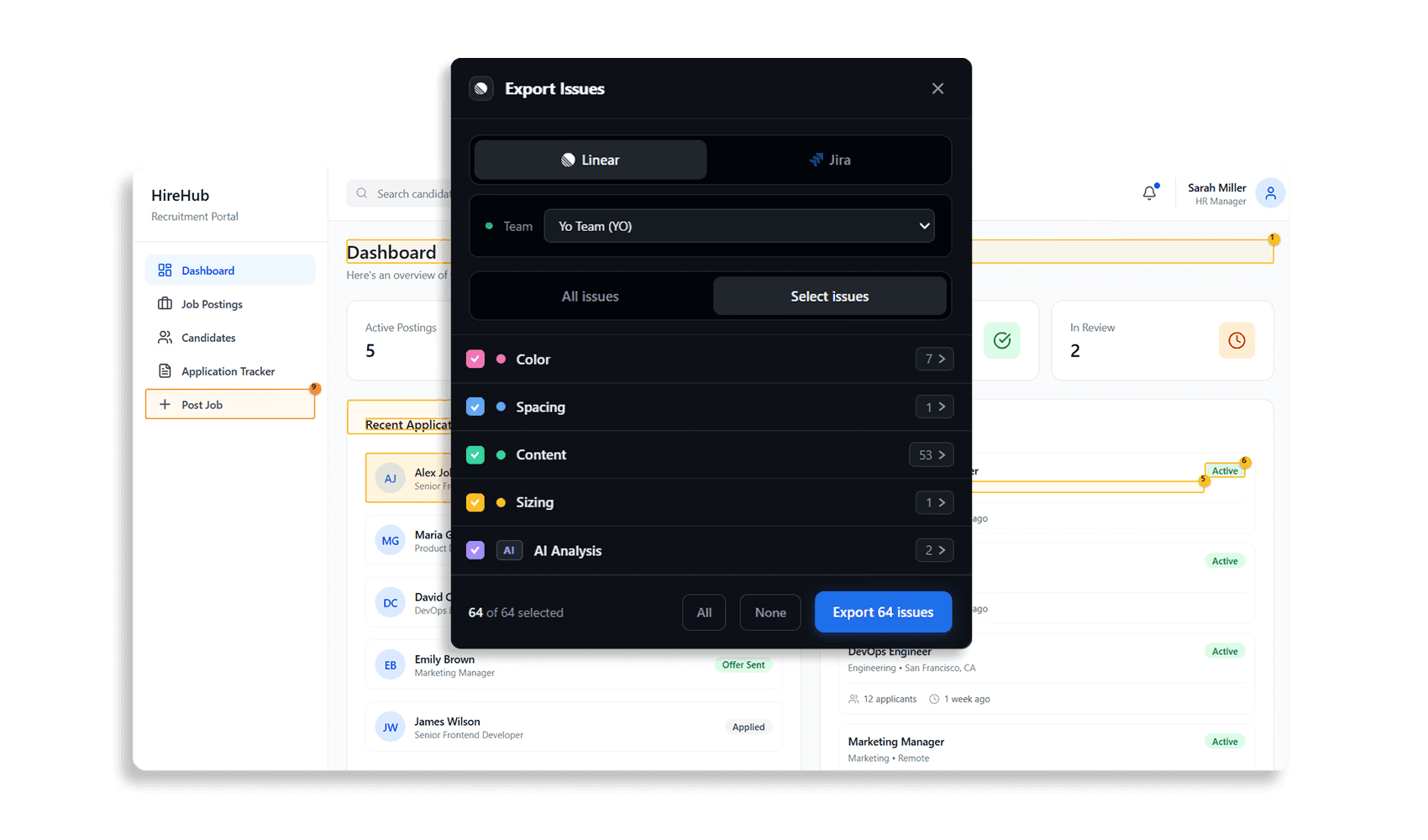
- Export issues to Linear or Jira and share results with your team