

Overview
Persona Testing simulates how different user types respond to your designs. Create personas from your Figma frames, then test designs with synthetic users to get behavioral and emotional insights without recruiting anyone.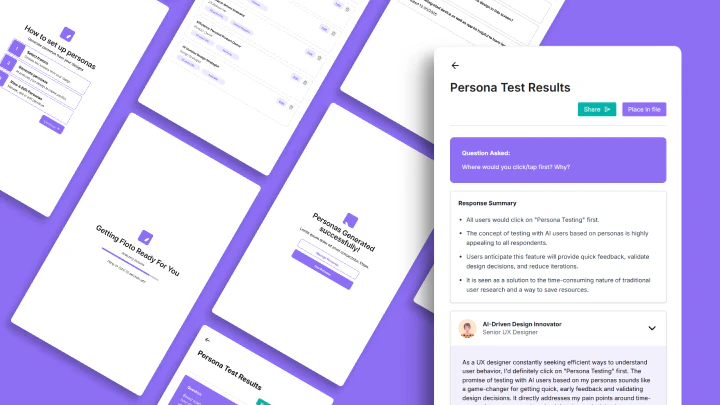
Cost: 50 credits per test
Initial setup: 2-4 frames (one-time to create personas)
Test frames: 1 frame per test
How It Works: 5 Steps
Step 1: Open Persona Testing
Click Persona Testing in the Floto plugin.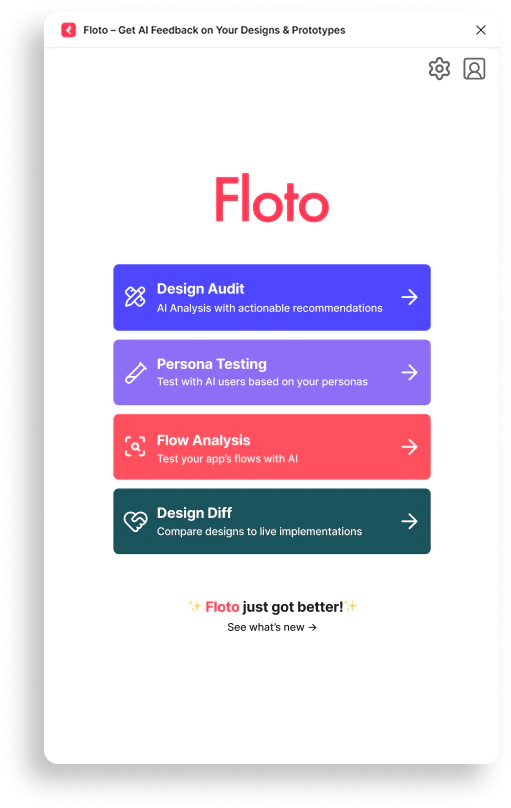
Step 2: Create or Manage Personas
First time? Set up personas. Already have them? Manage and edit anytime.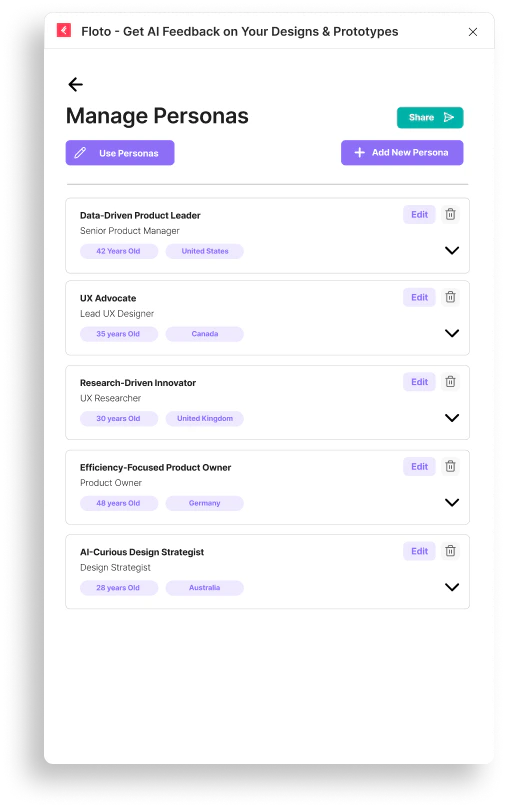
- Demographics (age, gender, location, income, education)
- Professional profile (job title, industry, experience, company size)
- Goals (primary, secondary, long-term)
- Pain points (functional, emotional, social)
- Tech savviness (low, medium, high)
- Brand loyalty (low, medium, high)
- Decision-making style
- Preferred communication channels
Step 3: Select a Frame to Test
Pick one screen you want feedback on. Test one frame per test.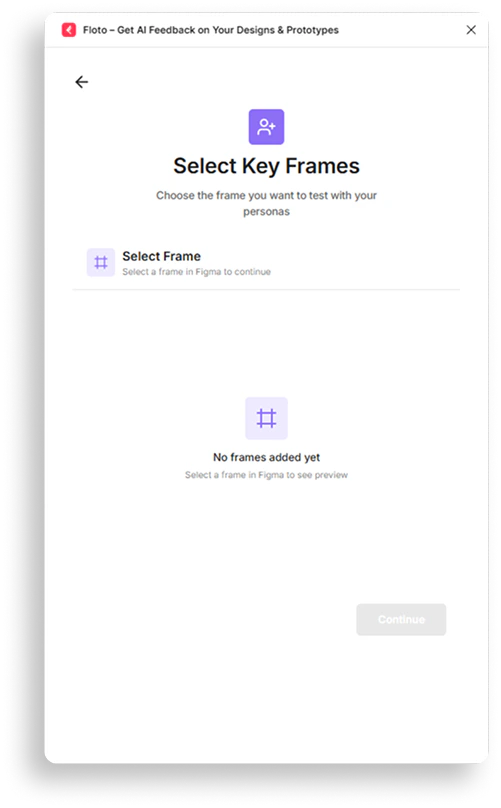
Step 4: Ask a Question
Ask what you want to know about user response.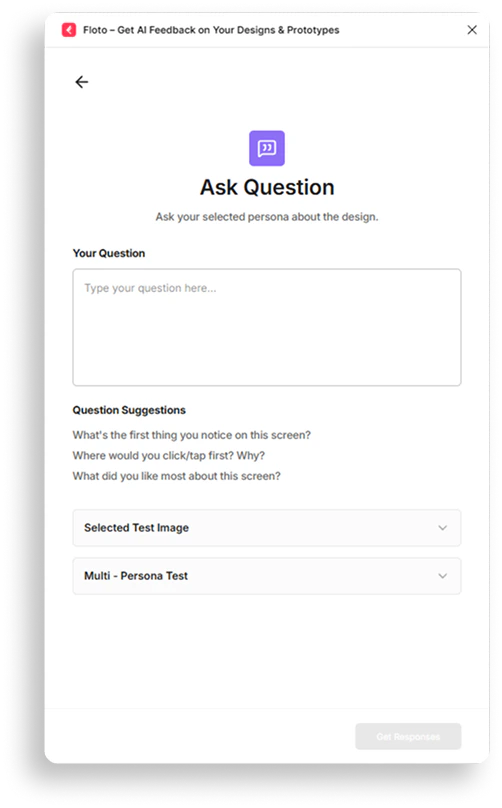
- “What catches their attention first?”
- “Where do they get confused?”
- “Would they complete this task?”
- “What’s missing from this design?”
- Analyzing design context (15s)
- Simulating persona perspective(s) (15s)
- Generating persona response(s) (15s)
- Evaluating feedback quality (15s)
- Finalizing responses (15s)
Step 5: Review Results
See how each persona responded.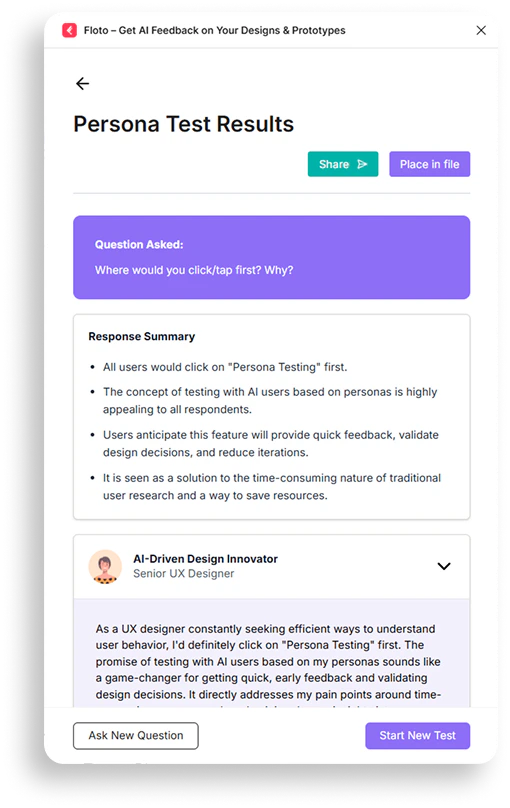
- Direct response - What the persona would do or say
- Rationale - Why they respond that way
- Behavioral insight - How their traits influence their response
Testing Approaches
Multi-Persona Test
Get all personas’ responses in one test:- Identify consensus (what everyone agrees on)
- Spot disagreement (where personas differ)
- See shared pain points
- Find gaps everyone identifies
Single-Persona Test
Deep dive on one persona:- Focused perspective
- Compare multiple single tests to see differences
Managing Personas
View & Edit
See all persona details. Edit any attribute anytime. Changes apply to future tests immediately.Add Custom Personas
Create personas manually from scratch. No frames required. Combine with auto-generated personas.Delete Personas
Remove personas you don’t need. Deletion is permanent. Existing test results preserved.Frame Requirements
For Initial Persona Creation
- 2-4 frames required (one-time setup)
- Screens, wireframes, mockups
- 20MB maximum size per frame
For Testing
- 1 frame per test
- Any Figma frame type
- 20MB maximum size
Question Suggestions
Get AI-powered suggestions after creating a test:- 3 default suggestions shown
- Click to auto-fill any suggestion
- “More Suggestions” button for more ideas
- Rate-limited (wait a few minutes if limit hit)
- Suggestions based on your design
FAQ
How many personas can I create?
How many personas can I create?
Unlimited. Create as many as needed. Test with all at once or individually.
Do I need to set up personas with frames every time?
Do I need to set up personas with frames every time?
No. The 2-4 frame setup is one-time only. After you create personas, you can test designs without adding more frames. You can add custom personas anytime without frames.
Can I edit personas after creating them?
Can I edit personas after creating them?
Yes. Go to Manage Personas to edit any persona. Changes apply to future tests immediately.
Can I test the same frame with different personas?
Can I test the same frame with different personas?
Yes. Run multiple tests with the same frame but different personas or questions.
What if I get a rate limit error on suggestions?
What if I get a rate limit error on suggestions?
The suggestions endpoint has rate limiting. Wait a few minutes and try again. You can still test without suggestions.
Do I need real user research?
Do I need real user research?
No. Personas are synthetic simulations based on AI. They don’t replace user research but provide rapid feedback for iteration.
What's the difference between tech savviness levels?
What's the difference between tech savviness levels?
Each persona has a tech level (low, medium, high) which influences how they respond to technical features and complexity.
How many credits does a test cost?
How many credits does a test cost?
Each test costs 50 credits, regardless of how many personas you test.